Parameter
operating voltage DC 12V or DC 24V
working current: 100mA ~ 150mA
fingerprint capacity: 10 administrators, 30 ordinary users
operating temperature:-40 ℃ ~ 60 ℃
module size: 60*20mm
fingerprint head size: diameter 22mm, depth 13mm
1. Factory status (demonstration mode): There is no fingerprint record in the system. At this time, the system is in demonstration mode, and any fingerprint can be identified and passed.
2. Input Management fingerprint for the first time: when the system is in the factory state, press any finger on the fingerprint window for about 5 seconds without loosening. The pink light will turn on, displace the finger, and the pink light will flash quickly, enter the add management fingerprint operation. Press your finger, press your finger for 5 times after the dark blue light is on, and the green light is on for about 3 seconds. The new fingerprint entry is successful (if the red light is on, the entry fails!) After the input is successful, the pink light continues to flash quickly, and multiple fingerprints can be input continuously. If the input needs to be finished, it will automatically exit after about 6 seconds without any operation. Note: 2 or more management fingerprints must be entered for the first time, otherwise, the entry will be deemed invalid!
3. Input more management fingerprints: you must press the management fingerprint on the fingerprint window for about 5 seconds without loosening. The pink light will turn on, displace your fingers, and the pink light will flash quickly to enter the operation of adding management fingerprints. Entry process ibid.
4. Enter the fingerprint of ordinary members: you must press the management fingerprint on the fingerprint window for about 8 seconds without loosening, and turn on the pink light in turn. When the light blue light is on, displace your fingers. The light blue light will flash quickly, enter the operation of adding common member fingerprints. Entry process ibid.
5. Delete all fingerprints: you must press the management fingerprint on the fingerprint window for about 11 seconds without loosening. The pink light will turn on successively, and the light blue light will turn on successively. After the second Pink light turns on, displace your fingers, the pink light flashes slowly and enters the operation of deleting all fingerprints. At this time, press it again with any finger, the green light will turn on for about 3 seconds, and all fingerprints will be deleted successfully. At this time, the system will return to the factory state (demonstration mode), and any fingerprints can be recognized and passed.
6. Delete fingerprints of ordinary members: you must press the management fingerprint on the fingerprint window for about 15 seconds without loosening. The pink light will turn on successively, the light blue light will turn on, and the pink light will turn on for the second time, displace your finger after the light blue light lights on for the second time. The light blue light light flashes slowly and enters the operation of deleting fingerprints of ordinary members. At this time, press it again with any finger, and the green light will turn on for about 3 seconds. The fingerprints of all ordinary members will be deleted successfully. At this time, the management fingerprints are still available.


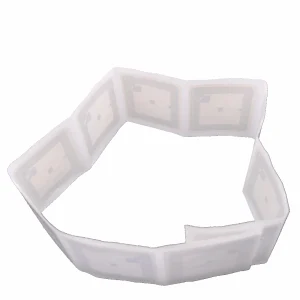 ISO15693 13.56Mhz 50*50mm IC 13.5Mhz sticker Tags
1 × $28.95
ISO15693 13.56Mhz 50*50mm IC 13.5Mhz sticker Tags
1 × $28.95 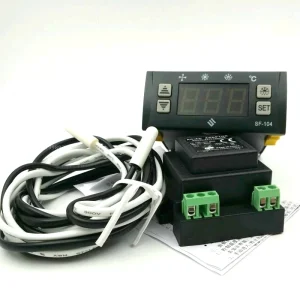 SF-104P SHANGFANG Digital Temperature Controller SF-104-P -45 to 150 degree Refrigerator temperature control
1 × $54.00
SF-104P SHANGFANG Digital Temperature Controller SF-104-P -45 to 150 degree Refrigerator temperature control
1 × $54.00 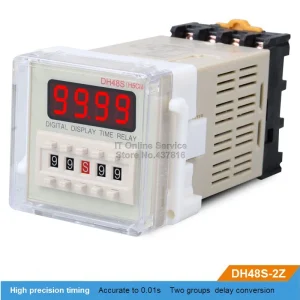 DH48S-2Z 220V/12V/24V LED Digital display Time relay Two groups delay buy one get one base pedestal
1 × $18.00
DH48S-2Z 220V/12V/24V LED Digital display Time relay Two groups delay buy one get one base pedestal
1 × $18.00 


There are no reviews yet.